

Decode your Hyundai VIN to find factory specifications, build options, and exact OEM part compatibility.


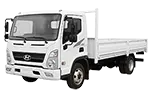
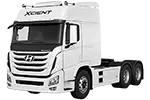
The Hyundai truck parts catalog on 7zap is designed for identifying assemblies, diagram references, and OEM part numbers across the truck series displayed above. It provides a focused reference route for light-, medium-, and heavy-duty vehicles without mixing them with Hyundai passenger cars or other catalog sections.
The available generation choices include vehicles such as the Light Duty HD35/45/65/72/75/78 families, Medium Duty HD120, Heavy Duty HD160/170/450/500/600 Facelift, Mighty WQ, Pavise, and Xcient. Because similarly named trucks may appear in different generations, begin with the specific series and production period shown in the catalog rather than relying on the model name alone.
After choosing a displayed truck generation, catalog navigation can help narrow the search to a relevant vehicle system or assembly. Depending on the selected catalog entry, navigation may be presented through universal categories or manufacturer categories. These are two alternative ways to reach useful diagram groups and parts lists.
A Hyundai truck parts diagram shows how components are arranged within an assembly. Numbered callouts connect illustrated items to rows in an accompanying list, where an OEM reference, description, quantity note, or applicability detail may be displayed. A callout is only a pointer to a parts-list row; it is not necessarily an orderable Hyundai truck part number.
This diagram-led process is useful when a component name is uncertain or when several related chassis or heavy-duty parts need to be distinguished by position. It also provides visual context that a number-only search cannot supply.
Generation boundaries matter in a truck catalog. For example, the Light Duty HD35/45/65/72/75/78 1st Generation (1998–2004), 2nd Generation Facelift (2010–2024), and 3rd Generation (2017–2024) are separate displayed choices. The Medium Duty HD120 (1993–2010) and HD120 Facelift (2010–2021) must likewise be treated as distinct catalog entries.
Choose the generation first, then review the factory configuration information presented within that route. Compare the displayed vehicle details with reliable documentation for the truck. Do not assume that a component listed for one generation also applies to another generation carrying a similar series name.
Hyundai truck OEM parts references are useful for comparing catalog records, labels, repair documentation, and supplier descriptions. Record the number together with the part description, diagram position, selected generation, and any notes shown beside the row. An OEM number is a research reference and does not by itself guarantee applicability.
Before using a reference for repair planning or sourcing, check the number against the truck’s identifying information and inspect the existing component where practical. Differences in factory configuration or catalog context can affect whether a visually similar item is appropriate. 7zap is an independent reference catalog and is not affiliated with Hyundai.
VIN lookup provides an independent, vehicle-specific way to research a truck. It is separate from manually choosing a displayed Hyundai series and factory configuration. A VIN should not be treated as a configuration option within the manual catalog route; use either path according to the identifying information available, then verify the resulting references.
It can show component location, assembly relationships, and the callout leading to a corresponding parts-list row.
No. The callout identifies a row in the list. That row may contain an OEM number, descriptive text, or another catalog reference.
Use the separate generation choices displayed above, such as Heavy Duty D250/260/270/700/1000 (1993–2010) or Heavy Duty HD310/320/370/380 (1997–2010). Do not transfer references between entries without verification.
No. Confirm the generation, factory configuration, catalog notes, and vehicle identifiers before relying on the reference.