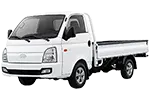
Decode your Hyundai VIN to find factory specifications, build options, and exact OEM part compatibility.


This Hyundai commercial vehicle parts catalog is designed for researching components used on listed vans, cargo vehicles, and related commercial platforms. It provides a structured path from a displayed vehicle generation to assembly groups, exploded views, diagram callouts, and associated OEM part-number references. 7zap is an independent reference catalog and is not affiliated with Hyundai.
The catalog can assist workshops, vehicle operators, parts specialists, and owners who need to identify how a component is represented within a particular commercial vehicle configuration. Depending on the selected catalog entry, relevant groups may cover engine-related systems, transmission components, suspension, steering, brakes, electrical equipment, body fittings, doors, interior equipment, and other serviceable assemblies.
Begin with the vehicle family and generation shown above the catalog text. The commercial range includes entries such as the H100 4th Generation Facelift, Libero, H350, and Solati, alongside vehicles including E-County and E-Aerotown. These names should be treated as distinct catalog starting points rather than interchangeable labels.
After opening the appropriate entry, review the displayed factory configurations carefully. Similar-looking vehicles can use different components because of production period, engine, transmission, equipment, or other configuration details. Category navigation may be presented through manufacturer categories or universal categories. Both routes help organize component research, but the assembly context and displayed vehicle data remain important.
A Hyundai commercial parts diagram shows the relationship between components within an assembly. Numbered callouts direct you to corresponding rows in the parts list, where descriptions and OEM number references may be displayed. A callout is only a pointer to a parts-list row; it is not necessarily an orderable part number.
OEM numbers are useful research references for comparing documentation, labels, removed components, and supplier records. However, a number alone does not guarantee applicability to a particular vehicle. Read notes, quantity information, configuration distinctions, and nearby assembly context before using a reference outside the catalog.
VIN lookup provides an independent, vehicle-specific route when that option is available. It is not a factory configuration, modification, or selector for a manually browsed catalog entry. Manual navigation and VIN-based research should therefore be treated as separate methods rather than combined selection steps.
Yes, the listed commercial entries include van and light commercial vehicle families such as H350, Solati, H100, and Libero. Select the displayed generation before opening assembly groups.
It illustrates component placement within an assembly and connects numbered callouts to parts-list rows. It does not by itself establish compatibility or provide installation instructions.
No. Hyundai commercial part numbers are research references. Applicability can depend on the selected generation, factory configuration, and details attached to the relevant parts-list row.
Use manual browsing when you know the appropriate listed model, generation, and configuration. Use VIN lookup as a separate vehicle-specific research path when available, then verify any resulting reference before use.