

Decode your Chevrolet VIN to find factory specifications, build options, and exact OEM part compatibility.


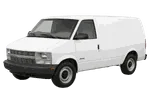

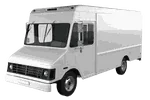


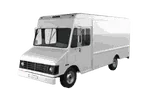
The Chevrolet commercial vehicle parts catalog on 7zap is designed for researching components used on the listed Chevrolet vans, delivery vehicles, and commercial chassis. It provides a structured route from a displayed vehicle generation to assembly diagrams, numbered callouts, parts-list descriptions, and OEM part-number references.
This is a commercial-vehicle catalog rather than a passenger-car overview. The focus is on the actual van and chassis families shown above, including generations such as Astro 1st/2nd Generations, City Express, Express 1500/2500/3500 GMT600, G10/G20/G30 3rd Generation, and P20/P30 Van 2nd Generation Facelift. Other displayed entries, including N300, N400, and Delivery Truck, should be treated as separate catalog choices rather than interchangeable Chevrolet configurations.
After choosing the relevant displayed generation, catalog navigation can help narrow the search to applicable assembly groups. Depending on the material provided for that vehicle, these may cover areas associated with the body, doors, interior, engine installation, cooling, fuel delivery, electrical equipment, steering, brakes, suspension, transmission, or commercial-vehicle hardware.
Navigation may be presented through universal categories or manufacturer categories. Universal categories provide a consistent way to approach common component groups, while manufacturer categories preserve the organization used for the selected catalog material. The available path can vary by vehicle entry, so the wording and diagram context should be reviewed rather than assumed.
A Chevrolet exploded view shows how illustrated components relate within an assembly. A numbered callout connects an item in the image with a row in the accompanying parts list. That callout is only a diagram pointer; it is not necessarily an orderable part number. The corresponding row may provide a description, quantity context, notes, or an OEM number suitable for further research.
Commercial vehicles with similar names can appear under more than one catalog generation. For example, Express 1500/2500/3500 GMT600 and Express 1500/2500/3500 GMT610 Facelift are distinct displayed entries. Select the entry that matches the vehicle being researched, then examine the available factory configuration details before relying on a diagram or number.
Model name alone is not sufficient evidence of compatibility. Compare the generation wording, production information shown in the catalog, vehicle configuration, assembly notes, and any restrictions attached to the parts-list row. Differences in equipment or production context may affect which reference applies, even when two illustrations look similar.
VIN lookup is an independent, vehicle-specific route. It is not a configuration within manual browsing and does not select one of the manually listed configurations. When VIN-based information is available, use it as a separate way to investigate the individual vehicle, then continue checking relevant catalog notes and component references.
An OEM number is a research reference, not a guarantee that a component applies to a particular van or chassis. Physical details and vehicle-specific evidence remain important, especially where a commercial platform has multiple displayed configurations.
Yes. Where illustrations are provided, the catalog can be used to study assembly layouts and connect diagram callouts with parts-list rows. The row, notes, and vehicle context should be read together.
No. A callout identifies a position in the illustration and points to a parts-list row. Any OEM number should be taken from the associated catalog information, not from the callout alone.
Treat each displayed Express generation as a separate choice. Match the vehicle to the generation wording and available configuration information before comparing assemblies or recording numbers.
No. It supports identification and cross-checking, but applicability still requires verification against the specific vehicle, catalog notes, and physical component.
No. 7zap is an independent reference catalog that helps users navigate illustrated parts information and research OEM number references.