

Decode your Mercedes VIN to find factory specifications, build options, and exact OEM part compatibility.


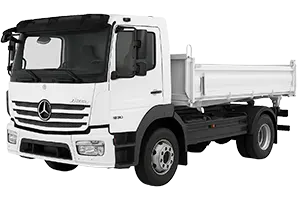
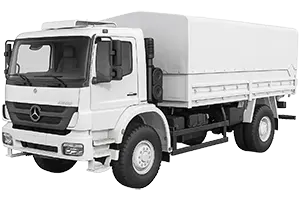
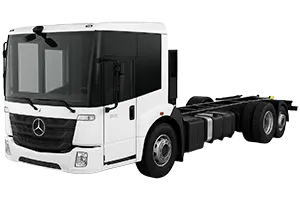
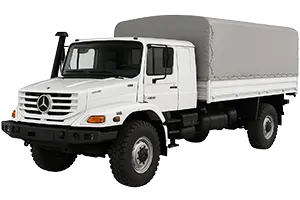
This independent Mercedes-Benz truck parts catalog helps users research assemblies, diagram positions, and OEM part numbers for supported heavy-duty vehicle configurations. It is intended as a reference for identifying components before checking them against vehicle documentation or another authoritative source.
The displayed truck generations include several distinct catalog paths. Atego coverage shown on this page spans the 1st Generation (1997–2003), 2nd Generation (2004–2012), and 3rd Generation (2013–2018). Other available examples include Axor (2001–2004), Axor Facelift (2005–2017), Econic (2013–2017), and Zetros BM949 (2008–2017). Selecting the appropriate entry is important because similar-looking components may differ between generations or factory configurations.
Mercedes truck EPC navigation can lead from the selected vehicle to relevant assembly groups and illustrated component pages. Depending on the catalog entry, these may help investigate Mercedes truck chassis parts, service components, structural assemblies, or related hardware without relying on a component’s appearance alone.
A Mercedes truck exploded view shows how illustrated items relate within an assembly. Numbered callouts direct the reader to corresponding rows in a parts list, where descriptions and Mercedes truck part numbers may be displayed. A callout is only a pointer to a list row; it is not necessarily an orderable OEM number. Likewise, an OEM number is a useful research reference but does not establish applicability to a particular truck by itself.
Begin with the truck family and generation displayed above, then compare the available factory configuration details with reliable information for the vehicle being researched. For example, Atego 1st Generation and Atego 3rd Generation should be treated as separate catalog routes, just as Axor and Axor Facelift have separate entries.
VIN lookup provides an independent, vehicle-specific route into the catalog. It is not a factory configuration and does not select one of the manually browsed generation entries. Users may either follow the VIN route or browse the Mercedes heavy-duty parts catalog manually, depending on the information available. Results from either path should still be reviewed before a part reference is used.
It presents an illustrated assembly with callouts linked to parts-list rows. This can clarify component location and relationships, but the illustration alone should not be used to determine applicability.
The catalog may provide OEM part numbers associated with listed components. Record the number together with its description, generation, configuration context, and diagram position, then verify those details independently.
Separate entries can contain different diagrams and references. Choosing the displayed Atego, Axor, Econic, or Zetros generation that corresponds to the truck reduces the risk of researching the wrong catalog branch.
No. 7zap is an independent reference catalog and is not affiliated with Mercedes-Benz. Its diagrams and number references support research rather than serving as a final compatibility decision or installation guide.