Decode your Mercedes VIN to find factory specifications, build options, and exact OEM part compatibility.




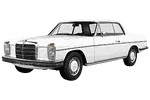
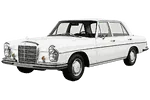






















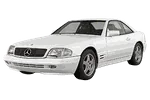




The Mercedes-Benz parts catalog on 7zap is an independent reference resource for identifying passenger-car assemblies, diagram positions and OEM part numbers. It is intended for owners, technicians, restorers and parts researchers who need to move from a displayed vehicle generation to the relevant assembly group and parts list. This page focuses on the Mercedes-Benz passenger-car catalog; commercial vehicles, trucks and special-purpose vehicles belong to their respective catalog sections.
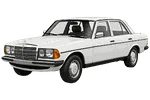
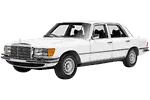
Begin with the generation list displayed above this guide. Mercedes-Benz model names can appear across multiple generations, so the generation identifier and listed production period are important points of reference. The available examples span vehicles such as the 170 W136 (1936–1955), E-Class W123 (1975–1986), S-class W126 (1979–1992), C-Class W204 (2006–2011) and GLC-Class X253/C253 (2014–2017). These labels help distinguish catalog branches that may otherwise share a familiar model-family name.
After selecting a displayed generation, catalog navigation can help narrow the search to relevant vehicle systems and component groups. Depending on the selected entry, these may include engine-related assemblies, transmission components, suspension and steering groups, braking components, electrical equipment, body fittings, interior items, glazing, lighting or other illustrated groups. The presence and organization of a group depend on the catalog data shown for that vehicle.
Navigation may be presented through universal categories or manufacturer categories. Universal categories provide a consistent way to approach common vehicle systems, while manufacturer categories retain the grouping used for the displayed catalog material. Either route is a browsing aid: the chosen vehicle generation and its factory configuration still need to be checked before treating a result as relevant.
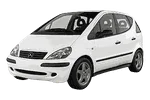
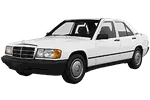
This is particularly important when researching model families with substantially separated catalog entries. The 190 W201 (1982–1988), A-Class W168 (1997–2001), M-Class W163 (1997–2001) and AMG GT C190/R190 (2013–2017), for example, should each be approached through its own displayed generation rather than through a general search for Mercedes parts.
A Mercedes parts diagram presents an assembly as an exploded view so that components can be understood in relation to nearby items. A numbered callout points to a corresponding row in the parts list. That row may contain an OEM number, a component description, quantity information or notes relevant to the illustrated context.
The callout itself is not necessarily an orderable part number. It is a visual reference connecting the drawing to a parts-list row. Likewise, a single drawing can show separate fasteners, seals, brackets, covers or related pieces that should not be assumed to be included with a larger component. Read the associated rows rather than relying only on the shape or apparent position of an item in the illustration.
Mercedes-Benz OEM parts numbers found through the electronic parts catalog are useful research references. They can support comparison with markings on a removed component, workshop documentation or information supplied by a parts specialist. However, an OEM number by itself does not guarantee applicability to a particular vehicle. Similar-looking parts can differ according to configuration, equipment or catalog notes.
Start by matching the model family, generation code and production period shown in the catalog. For older vehicles, that might mean separating the SL-Class W113 (1963–1971) from another displayed SL-Class entry. For a later vehicle, it could mean confirming GLC-Class X253/C253 (2014–2017) rather than browsing by the GLC-Class name alone. The same care applies to entries such as G-Class W460 (1979–2009) and V-Class W447 (2014–2019).
Once the generation is selected, review the available factory configurations and choose only from the information presented. Check relevant distinctions such as the displayed engine, transmission, equipment or production detail when those choices are available. Do not infer a configuration from a model badge or from visual similarity between diagrams. If the vehicle information is uncertain, record the candidate part number and verify it through additional vehicle-specific evidence.
VIN lookup is independent of manual generation and configuration browsing. It is not another configuration and does not select one of the manually browsed configurations. When supported, the VIN route uses the vehicle identifier to open a vehicle-specific catalog path. Manual browsing remains useful when a VIN is unavailable, unreadable or not recognized, but its results should be checked against the vehicle itself.
These steps reduce the risk of choosing a number from the wrong Mercedes parts diagram, but they do not replace fitment verification. Catalog illustrations are reference drawings and may not reproduce component shape, scale or minor visual variation precisely.
EPC commonly refers to an electronic parts catalog. On this page, it describes structured catalog research using vehicle generations, assembly groups, exploded diagrams, callouts and associated OEM part numbers.
No. The callout directs you to a parts-list row. Check that row and its description, number and visible notes before recording a reference.
No. An OEM number is a valuable research reference, but applicability can depend on the selected generation and factory configuration. Verify it against vehicle-specific information.
Use the path supported by the information you have. Manual browsing begins with a displayed generation and configuration, while VIN lookup is a separate vehicle-specific route. Results from either path should still be reviewed carefully.
Catalog branches may reflect different generations or factory configurations. Similar illustrations should not be treated as interchangeable without checking their associated parts lists and vehicle context.