Decode your Volkswagen VIN to find factory specifications, build options, and exact OEM part compatibility.


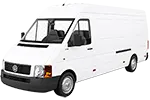
The Volkswagen commercial vehicle parts catalog on 7zap helps owners, workshops, fleet operators, and parts researchers identify components within the displayed commercial vehicle generations. It provides a structured route from a vehicle family and factory configuration to assembly illustrations, diagram callouts, parts-list descriptions, and Volkswagen OEM part numbers.
This catalog section is dedicated to Volkswagen commercial vehicles rather than passenger-car ranges. The available generation list spans different working-vehicle contexts, from Caddy and LT entries to Crafter, Constellation, Delivery, Meteor, Worker, Micro-Onibus, and Onibus Motor Traseiro families. Select the relevant generation above before investigating a component.
Catalog navigation can help narrow a search from the vehicle level to the assembly in which a component is used. Depending on the selected catalog entry, users may encounter areas related to the engine, transmission, body, electrical equipment, suspension, steering, braking, interior fittings, or other vehicle systems. The displayed navigation may use universal categories or manufacturer categories; each offers a different route into the available assembly information.
Generation distinctions matter. For example, Caddy (Typ 2K) (2004–2011) and Caddy (Typ SB) (2021–2027) are separate entries, as are Crafter (Typ 2E/2F) (2006–2011) and Crafter (Typ SY/SZ) (2017–2023). E-Crafter (Typ SY/SZ) (2019–2023) also appears as its own catalog choice. For heavier commercial references, the displayed list includes families such as Constellation (2006–2025), Delivery II (2018–2025), and Worker 1st Facelift (2000–2019).
A Volkswagen exploded view shows how parts are positioned within an assembly. Numbered callouts connect illustrated components to rows in an accompanying parts list. A callout is a diagram pointer, not necessarily an orderable part number, so the linked row and its notes should be read carefully.
Where shown, an OEM part number is useful for research, comparison, and communication with a parts specialist. It does not by itself establish that a component applies to a particular vehicle. Similar-looking assemblies may use different references according to the selected generation, production period, or factory configuration.
Begin with the correct model family, generation label, type code, and year span shown in the catalog. Then review the available configuration details before opening an assembly. Do not transfer a number from one generation to another merely because the component name or illustration appears similar.
VIN lookup provides an independent, vehicle-specific route where that function is available. It is separate from manually choosing a displayed generation and factory configuration. A VIN is not a configuration option and should not be treated as a substitute label within the manual catalog path.
7zap is an independent reference catalog and is not affiliated with Volkswagen. Catalog information should support identification research rather than replace vehicle-specific verification.
Yes. Select a listed vehicle generation, navigate to the relevant assembly, and use the diagram callout to find the associated parts-list row and OEM reference where displayed.
They represent distinct displayed generations or type codes. Choosing the matching entry reduces the risk of researching an unrelated assembly.
No. The callout points to a parts-list row. The row may contain an OEM number, description, notes, or multiple relevant entries.
No. Treat it as a research reference and verify it against the vehicle identity, selected configuration, catalog notes, and other vehicle-specific evidence.