Decode your Nissan VIN to find factory specifications, build options, and exact OEM part compatibility.


The Nissan commercial vehicle parts catalog on 7zap is designed for researching components by vehicle generation, assembly, diagram position, and OEM part number. It provides a focused route for vans and other commercial vehicle families, separate from passenger-car and heavy-truck catalog pages.
Start with the generation list displayed above, then open the entry that corresponds to the vehicle being researched. Catalog navigation may lead to relevant mechanical, body, electrical, cabin, and chassis-related assembly groups, depending on the information shown for that generation. The purpose is to narrow a parts search methodically rather than relying on a model name alone.
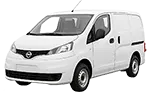
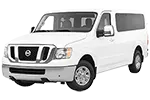
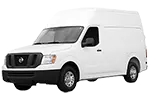
The available entries span distinct Nissan commercial families and periods. Examples include Vanette C120 (1978–1988), Caravan E23 (1980–1986), Urvan E25 (2001–2012), and Civilian W40 (1982–1999). Later catalog choices include NV200 M20 (2009–2019), NV350 E26 (2012–2019), E-NV200 (2014–2019), NT400 Cabstar F24 (2009–2019), and NT500 (2013–2019).
These names should not be treated as interchangeable. Even vehicles with similar commercial roles can use different component arrangements and references. Select the displayed family and generation carefully before moving into its assembly groups, and compare any factory configuration details presented in the catalog with reliable vehicle records.
A Nissan van parts diagram presents an assembly as an exploded view, helping show how illustrated components relate to one another. Numbered callouts connect the image to rows in the accompanying parts list. A callout is only a pointer to a parts-list row; it is not necessarily an orderable part number.
Parts-list rows may provide an OEM number, description, quantity context, or other notes where supplied. Record the number exactly, including letters, digits, and separators. An OEM part number is a useful research reference, but it does not by itself guarantee that the component applies to a particular vehicle.
VIN lookup is independent of manually browsing a Nissan commercial generation and its displayed configurations. Entering a VIN does not act as a configuration choice within the manual catalog route. When VIN-based information is available, use it as a vehicle-specific reference path and compare the results with vehicle records and component markings.
Yes. Open the appropriate displayed generation, navigate to a relevant assembly, and use its exploded diagram callouts to locate corresponding parts-list rows.
Not necessarily. The callout identifies a position in the illustration and points to a list row. Consult that row for the associated reference information.
A shared or similar number should not be assumed to have the same application. Verify the selected generation, displayed configuration, description, and vehicle-specific information.
No. 7zap is an independent reference catalog and is not affiliated with Nissan. Catalog information should be checked against dependable vehicle and component records before making a fitment decision.