Decode your Ram VIN to find factory specifications, build options, and exact OEM part compatibility.
The RAM parts catalog on 7zap is an independent reference for identifying components and researching OEM part numbers. It is designed around RAM vehicles rather than treating the brand as a secondary model line. Start with the generation list above, select the relevant vehicle entry, and then move through assemblies and parts illustrations that correspond to the displayed catalog configuration.
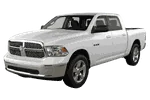
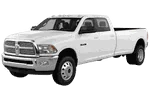
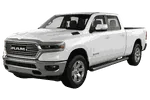
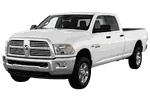
Coverage shown on this page includes distinct entries for RAM 1500 Pickup DS and RAM 1500 Pickup DT, as well as RAM 2500 Pickup DJ. Heavier vehicle entries include RAM 3500 Cab Chassis DS, RAM 3500 Pickup DS, and RAM 4500/5500 Cab Chassis DS. These names and generation codes matter because similar vehicle labels can lead to different catalog structures and component references.
After choosing a displayed generation, catalog navigation can help narrow the search from a vehicle-level entry to a relevant assembly. Depending on the selected entry, users may browse through universal categories or manufacturer categories. These two navigation approaches organize the available diagrams and parts-list records from different perspectives without changing the selected RAM vehicle.
A RAM parts diagram is especially useful when a component is known by its position or appearance rather than by name. Assembly views can place related items in context, helping distinguish adjacent brackets, fasteners, housings, lines, panels, or other listed components. The available groups depend on the chosen vehicle entry and catalog data shown for it.
An exploded view presents components in their assembly context. Numbered callouts point from the illustration to corresponding rows in a parts list, where a description and an OEM reference may be displayed. A callout is only a pointer to a parts-list row; it is not necessarily an orderable part number.
RAM part numbers should be treated as research references. A number found in a RAM electronic parts catalog can help compare labels, packaging, service records, or supplier information, but the number alone does not establish applicability to a particular vehicle. Notes, quantity information, position details, and configuration distinctions should be reviewed together when they are present.
Begin by confirming the vehicle family and generation code shown in the catalog. For example, RAM 1500 Pickup DS and RAM 1500 Pickup DT are separate selections, while RAM 3500 Pickup DS and RAM 3500 Cab Chassis DS should not be treated as interchangeable catalog entries. The displayed production ranges can provide useful context, but a year overlap does not mean that two generations use the same assemblies or numbers.
Within the selected generation, compare the available factory configuration details with reliable vehicle information. Engine-related, drivetrain-related, equipment, and production distinctions may affect which parts-list row is relevant. Avoid choosing a component from its illustration alone, since visually similar items may have different references.
VIN lookup is an independent, vehicle-specific route into catalog information. It is not a configuration, trim choice, or selector for one of the manually browsed entries. Manual browsing starts from the RAM generation list and follows the displayed configurations; VIN-based research begins with the vehicle identifier. Results from either path should still be checked against the vehicle and the component being replaced.
7zap provides catalog reference information and is not affiliated with RAM or its manufacturer. Catalog research supports identification, but it does not replace vehicle-specific verification.
Yes. Select the appropriate displayed RAM generation, browse to a likely assembly, and use the exploded diagram and callouts to locate a corresponding parts-list description.
They are separate generation entries in the supplied catalog coverage. Choose the one matching the vehicle information before reviewing diagrams or OEM references.
No. The callout connects an illustrated component to a parts-list row. The row may contain an OEM number, description, notes, or other identifying information.
No. Review the selected generation, factory configuration, assembly position, notes, and physical component. Final confirmation should come from reliable vehicle-specific evidence.