

Decode your Plymouth VIN to find factory specifications, build options, and exact OEM part compatibility.


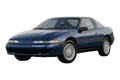
The Plymouth parts catalog on 7zap is a reference resource for identifying components and researching OEM part numbers. It is designed around vehicle generations, assembly groups, exploded diagrams, numbered callouts, and corresponding parts-list entries. This makes it useful when comparing an existing component with the way related parts are organized in catalog illustrations.
7zap is an independent catalog service and is not affiliated with Plymouth or the vehicle manufacturer. Catalog numbers and diagrams should be treated as research information rather than proof that a component applies to a particular car.
Begin with the generation list shown above this guide. The supplied legacy passenger-car entries include the Breeze generation for 1997–2000 and Laser D for 1989–1994. Choose between these displayed entries carefully rather than relying only on the model name or visual similarity.
After selecting a generation, navigation may organize components through universal categories or manufacturer categories. Depending on the selected catalog entry, these groups can lead to relevant vehicle systems, subassemblies, mounting hardware, body components, electrical items, or service-related parts. The available organization can vary, so follow the headings and assembly descriptions presented for the chosen vehicle.
A Plymouth parts diagram presents components in an exploded view so their relative positions within an assembly are easier to understand. Numbers placed beside the illustrated items are callouts. Each callout points to a row in the accompanying parts list; it is not necessarily an orderable OEM number itself.
The linked row may provide a part description, an OEM reference number, quantity context, or notes relevant to the displayed configuration. Compare the illustration and list together. Nearby fasteners, brackets, seals, and related pieces may have separate references even when they appear to form one unit in the drawing.
Plymouth part numbers are valuable search and comparison references, but a matching number alone does not guarantee applicability. Differences in factory configuration, equipment, or assembly details can affect which catalog row is relevant.
VIN lookup is independent from manual generation and configuration browsing. When vehicle-specific lookup is available, enter the VIN through that dedicated path. A VIN is not a manually browsed configuration and should not be treated as another option within the generation selector. Even after a vehicle-specific search, verify the resulting reference against the physical component and supporting documentation.
An exploded view can help locate the component within an assembly. Use its callout to find the related parts-list row, then compare the description and reference number with the vehicle and removed part.
No. A callout is an illustration pointer. The associated list row is where an OEM number or other catalog reference may appear.
No. An OEM number is a research reference. Generation, factory configuration, catalog notes, and physical details still need to be checked before the number is relied upon.
Compare mounting points, connectors, dimensions, adjacent hardware, and visible markings. If uncertainty remains, confirm the reference with a qualified parts specialist using the vehicle’s documentation.