Decode your Dacia VIN to find factory specifications, build options, and exact OEM part compatibility.
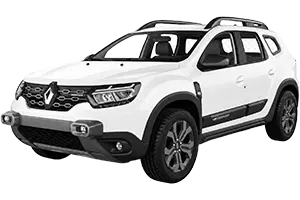
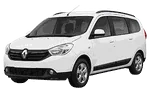
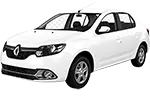
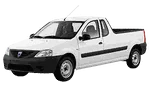
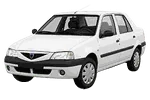
The Dacia parts catalog on 7zap is a reference resource for identifying components and researching OEM part numbers. Start with the displayed Dacia vehicle family and generation, then navigate through the available assembly groups to locate a relevant diagram and its associated parts list.
Depending on the selected catalog entry, assembly navigation may cover areas such as the engine, transmission, body, electrical equipment, suspension, steering, brakes, interior fittings, and exterior trim. The available sections can differ between vehicles and configurations, so the catalog should be treated as a research aid rather than a promise of exhaustive coverage.
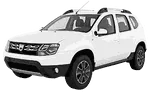
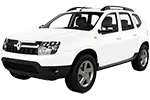
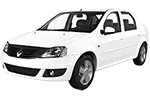
Generation choice is particularly important when a model family appears in several forms. Duster entries, for example, include Duster (2010–2013), Duster II (2018–2021), and Duster II Facelift (2021–2024). Logan/Sandero listings include Logan/Sandero I (2004–2008), Logan/Sandero II (2012–2016), and Logan/Sandero II Facelift (2016–2024).
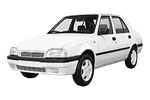
Other displayed families include Lodgy (2012–2017), Pick-up (1992–2006), Solenza (2003–2005), and SupeRNova (2000–2003). These labels should be read carefully: a similar model name does not mean that parts shown under separate generations are interchangeable.
A Dacia parts diagram shows how components are arranged within an assembly. Numbered callouts connect positions in the illustration to rows in the accompanying parts list. A callout is only a diagram reference; it is not necessarily an orderable OEM part number.
The parts-list row may provide a Dacia part number, description, quantity note, or configuration-related remark. Record the number together with its assembly context rather than relying on the number alone. An OEM number is useful for comparison and further research, but it does not independently guarantee that a component applies to a particular vehicle.
For manual browsing, first match the model family and displayed generation. Then compare the available factory configuration details with reliable vehicle information. Production period, engine or transmission information, equipment distinctions, and catalog notes may affect which parts-list row is relevant when those details are shown.
After finding a candidate number, verify it against the vehicle’s identification data, the existing component, visible markings, connector or mounting details, and information from a qualified parts specialist. This additional check is important where diagrams contain alternatives or where similarly described components appear in more than one assembly.
VIN lookup is independent from choosing a manually browsed Dacia generation and configuration. It provides a vehicle-specific research route when supported, but it should not be treated as a configuration option within the manual catalog. Any resulting part reference still requires applicability checks before use.
An exploded view can show component positions, assembly relationships, and numbered callouts linked to parts-list rows.
Not necessarily. The callout points to a row in the list; the corresponding row should be checked for the actual reference number and relevant notes.
Separate generations and facelift entries may use different assemblies or references. Begin with the generation label that matches the vehicle information available to you.
No. It is a research reference. Confirm the number using vehicle identification, catalog context, component markings, and specialist guidance where needed.