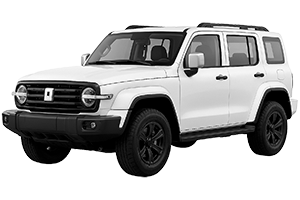
Decode your Tank VIN to find factory specifications, build options, and exact OEM part compatibility.
The Tank car parts catalog on 7zap provides a structured reference for identifying components and researching OEM part numbers. Catalog navigation begins with the displayed Tank vehicle families, including the 300 Generation 1 (2021–2026) and 500 Generation 1 (2021–2026). Selecting the appropriate model and generation helps narrow the manual browsing path before reviewing assemblies, diagrams, and associated parts lists.
7zap is an independent reference catalog and is not affiliated with Tank. The catalog can support component research, comparison, and communication with parts specialists, but an OEM number alone does not confirm that a component applies to a particular vehicle.
After choosing the displayed vehicle generation, browse the available assembly structure to locate the relevant component area. Depending on the catalog record, this may include engine-related groups, transmission components, body fittings, electrical equipment, suspension, steering, braking, interior parts, or other vehicle systems.
Navigation may use universal categories or manufacturer categories. The useful route depends on how the required assembly is organized for the selected Tank model. Start with the system where the component is installed, then move through the available subgroups until a suitable illustration or parts list appears.
A Tank car parts diagram shows the relationship between components within an assembly. Numbered callouts connect illustrated items to rows in the accompanying parts list. A callout is only a pointer to a list row; it is not necessarily an orderable part number.
The corresponding row may provide an OEM part number, description, quantity note, or other catalog context. Record the number together with the model, generation, assembly, and item description. This context is important because visually similar parts can differ according to factory configuration or catalog conditions.
These checks reduce identification errors, but they do not guarantee compatibility or fitment. Production changes and vehicle-specific differences may require further confirmation.
VIN lookup provides an independent, vehicle-specific route into the catalog. It is not a configuration within the manually browsed Tank 300 or Tank 500 generation lists, and it does not select a manual configuration. When a VIN path is used, review the returned catalog information separately and still verify the resulting part reference before relying on it.
Select 300 Generation 1 (2021–2026), open the relevant assembly, and use the diagram callouts to locate associated parts-list rows and OEM references.
The displayed catalog includes 500 Generation 1 (2021–2026). Available illustrations and lists can be reviewed through its assembly navigation.
No. It is a research reference and should be checked against the vehicle’s generation, factory configuration, documentation, and component details.
Read the linked list row and surrounding assembly context. The callout may identify a group, referenced component, or non-orderable entry rather than a standalone part number.