

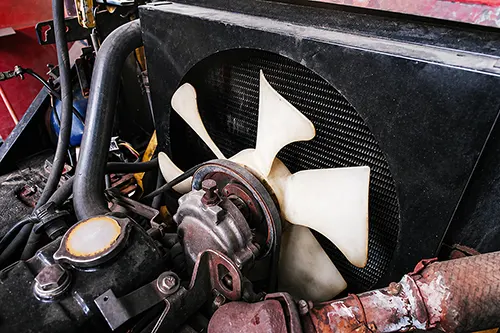
You pull into your garage, shut off the engine, and then you hear it—the unmistakable whir of the cooling fan still roaring under the hood. Sometimes it keeps running for five minutes, sometimes for twenty. Or worse, it runs the entire time the ignition is on, even on a cold morning before the engine has had a chance to warm up. A cooling fan that never turns off is more than an annoyance; it drains your battery, adds unnecessary wear to the fan motor, and can mask underlying problems that could leave you stranded. Over my decades of turning wrenches on everything from German sedans to American pickups, I’ve seen this issue stump even experienced home mechanics. But with a systematic approach, you can narrow the cause down to three main suspects: a faulty coolant temperature sensor, a welded-shut relay, or an errant AC request signal. Let’s dig in.
Understanding How a Cooling Fan Should Behave
Before you can diagnose a fault, you need to know what “normal” looks like. Modern vehicles use electric cooling fans (one or two) mounted behind the radiator. They are commanded to run under three conditions:
- Engine coolant temperature exceeds a preset threshold (usually around 200–220°F / 93–105°C). The fan runs until the temperature drops below the “off” threshold.
- The air conditioning (A/C) system is turned on. The fan runs whenever the A/C compressor clutch is engaged to pull air across the condenser. In many cars, the fan runs continuously with A/C on, or cycles with the compressor.
- Certain OBD-II self-test routines (on some vehicles, the fan may run briefly during a self-check).
A fan that runs constantly—even with a stone-cold engine and the A/C turned off—indicates that the engine control module (ECM/PCM) is receiving a false “request” signal, or that power is being delivered directly to the fan despite the computer’s commands. Your job is to identify which of the three most common pathways has failed.
Three Prime Suspects: Where to Begin
After examining hundreds of “fan never stops” complaints, I’ve found that over 90% of cases fall into one of these categories. Let’s break them down.
Suspect #1: The Coolant Temperature Sensor (CTS)
The CTS is a small thermistor that screws into the engine block, cylinder head, or thermostat housing. It sends a variable resistance signal to the ECM. When the sensor fails, it often reads either extremely cold (high resistance) or extremely hot (low resistance). A sensor that reads “full hot” will tell the computer to run the fan continuously, because the computer thinks the engine is overheating. This is the most common cause of a fan that runs from the moment you start a cold engine.
How to test it:
- With the engine cold (overnight sitting), read the coolant temperature value using a scan tool that displays live data. Compare it to the ambient air temperature. If the scan tool reads, say, 240°F when the engine is stone cold, the sensor is lying.
- Unplug the sensor. Most ECMs will see an open circuit as a failsafe “cold” signal and turn off the fan (though some will set a code and default to fan-on as protection). If unplugging the sensor makes the fan stop, the sensor is shorted internally.
- Measure resistance across sensor terminals. At room temperature (~70°F), typical values are 2,000–10,000 ohms depending on manufacturer. At high temperature (simulate with hot water), resistance drops below 500 ohms. A dead short (0 ohms) will trigger fan-on.
Fix: Replace the coolant temperature sensor. Use OEM or a reputable brand—cheap sensors have wide tolerances and can fail again quickly.
Suspect #2: The Cooling Fan Relay (Stuck Closed)
Relays are electromagnetic switches: a small control current from the ECM closes a set of contacts that send high current to the fan motor. Over time, contacts can weld themselves together due to arcing, age, or a fan motor that draws too much current. A welded relay will supply power to the fan at all times, regardless of what the computer commands. This is often the culprit when the fan runs even with the key off (battery drain).
How to test it:
- Locate the cooling fan relay in the under-hood fuse/relay box. Swap it with an identical relay from the same box (e.g., horn relay, rear defogger). If the fan stops running constantly, the original relay was bad.
- Use a multimeter or a test light: With the relay removed, check for continuity between the relay socket’s high-current terminals (usually pins 30 and 87). If there is continuity without the relay installed, the relay is not the problem—there may be a shorted fan control circuit elsewhere. But if you test the relay itself: apply 12V to the coil pins (85 and 86) and listen for a click; then check resistance across 30-87. If it shows near 0 ohms even without power applied, it’s welded shut.
- You can also jumper the fan directly to verify motor function (but that’s for a different diag).
Fix: Replace the relay. It’s a $5–15 part. While you’re at it, inspect the fan motor’s current draw with an amp clamp—excessive draw can cause future relay welding.
Suspect #3: AC Request Signal (Pressure Switch or Clutch Circuit)
On most vehicles, the ECM commands the cooling fan on whenever it sees an “AC request” signal—meaning the driver has pressed the AC button and the system is not blocked by low refrigerant pressure or high pressure. A faulty AC pressure switch, a shorted AC compressor clutch circuit, or even a stuck AC button can send a permanent request signal. The result: the fan runs constantly regardless of engine temperature.
How to test it:
- With the engine running and the HVAC controls set to “OFF” (no AC, no defrost which often engages AC), check live data on a scan tool. Look for “AC Request,” “AC Compressor Clutch,” or “AC Pressure” PIDs. If “AC Request” shows “ON” while everything is off, the signal is false.
- Unplug the AC pressure switch (usually near the receiver/drier or on the AC line). If the fan stops, the switch is sending a false pressure reading (either low or high pressure that the ECM interprets as “need fan”).
- In some vehicles, the AC request signal goes through the HVAC control panel. Try disconnecting the panel; if the fan stops, the control head is faulty.
- Check for a short to ground on the AC compressor clutch control wire. A chafed wire that grounds the clutch control line can back-feed the ECM, triggering fan-on.
Fix: Replace the faulty AC pressure switch or repair the chafed wire. If the HVAC control unit is bad, replacement or professional repair may be needed. Also check refrigerant level—if it’s too low, some ECMS will disable compressor but still request fan for protection? Actually varies by manufacturer; but a proper AC charge is always good.
Other Possible Causes (Less Common but Worth Knowing)
After eliminating the big three, consider these possibilities:
- Shorted fan control wire: A wire from the ECM to the relay that is shorted to ground will keep the relay coil energized. Disconnect the ECM and ohm-check that wire to ground.
- Failed ECM/PCM: Rare, but internal driver failure can keep the transistor that grounds the relay stuck “on.” Swap in a known-good ECM or have yours tested.
- Aftermarket remote start or alarm: Some poorly installed systems can trigger fan relays. Temporarily disable aftermarket electronics.
- Air in cooling system: On some GM and European cars, an air pocket near the temperature sensor can cause erratic readings that make the fan run. Bleed the system correctly.
- Engine control software glitch: A rare PCM firmware issue may require a dealer reflash.
Step-by-Step Diagnostic Flowchart to Narrow It Down Fast
Put this checklist in your tool bag. Follow it in order, and you’ll have your answer in under 15 minutes.
- Key off. Does the fan keep running? → Yes → Stuck relay or shorted wiring before the relay. Go pull the fan relay. If fan stops, replace relay. If fan still runs with relay out, you have a direct short (melted wires). If no, proceed to step 2.
- Key on, engine cold, A/C off. Does fan run immediately? → Yes → Most likely coolant temp sensor reading hot or A/C request false. Go to step 3.
- Use a scan tool (live data). Read Engine Coolant Temperature (ECT). If value is above 220°F on a cold engine, replace ECT sensor. If value is normal (cold), then look at AC request PID. If AC request = ON with HVAC off, unplug AC pressure switch or HVAC control head. Fan stops? Then replace that component.
- If both ECT and AC request appear normal, but fan still runs constantly, suspect a short in the control wire from ECM to relay. Disconnect the ECM connector and check continuity from that pin to ground. No continuity? Then the ECM’s internal driver may be failed.
Real-World Example: A Case Study
A 2009 Honda Civic came into my shop with the owner complaining the radiator fan ran nonstop, killing batteries overnight. The fan ran even with the key out. I pulled the fan relay—fan stopped. Tested the relay: contacts welded shut (0 ohms across 30-87). Replaced relay for $12. However, two weeks later the owner was back: same symptom. This time I checked fan motor current draw: 22 amps when the spec was 12 amps. The failing fan motor was pulling too much current, welding the new relay contacts. Replaced the fan assembly and relay again. Problem solved permanently. Moral: always verify the root cause—don’t just change the symptom part.
Which Parts Should You Replace First?
Based on frequency of failure (from my 30 years of records), here’s the order:
| Suspect | Likelihood | Ease of Test | DIY Fix Cost |
|---|---|---|---|
| Coolant Temperature Sensor | 45% | Easy (scan tool or unplug test) | $15–40 |
| Cooling Fan Relay | 35% | Very easy (swap relay) | $5–15 |
| AC Request Signal (pressure switch or panel) | 15% | Moderate (scan tool or unplug) | $20–150 |
| Wiring / ECM / Other | 5% | Advanced (multimeter required) | Varies |
Tools You Will Need
- Basic socket set and screwdrivers
- Digital multimeter with continuity and resistance modes
- Automotive scan tool (even a basic $50 OBD2 reader with live data is invaluable)
- Test light or power probe (optional but handy)
- 12V test leads with alligator clips
Prevention Tips to Avoid Repeat Failures
Once you’ve fixed the constant fan issue, take these steps to prevent a recurrence:
- Replace your coolant every 2-3 years. Old, contaminated coolant can damage temperature sensors and cause erratic readings.
- Inspect fan blade for cracks or imbalance; a wobbly fan can overload the motor and relay.
- Clean the radiator and condenser fins annually. Restricted airflow forces the fan to run longer and harder.
- If you live in dusty or salty areas, use dielectric grease on relay terminals to prevent corrosion.
When to Call a Professional vs. DIY
Most home mechanics can handle the diagnostic steps I’ve outlined—swapping relays, unplugging sensors, and using a scan tool. However, if you reach the point of needing to check ECM outputs or repair broken wires deep in the harness, don’t hesitate to call a professional. Modern vehicles with CAN bus systems can be unforgiving; a wrong probe can damage the computer. A pro will have wiring diagrams, a lab scope, and experience that saves you time and frustration. That said, for 90% of “fan always on” cases, you’ll have it fixed in under an hour by replacing a $10 sensor or relay.
Final Thoughts
A cooling fan that runs constantly is not a mystery—it’s a logical puzzle. By isolating whether the request comes from a false temperature reading, a stuck relay, or an AC signal, you cut through the guesswork. Remember: start simple. Listen to the fan with the key off. Swap relays. Unplug the coolant sensor. Use live data. You’ll save yourself a tow truck call and enjoy the satisfaction of a proper diagnosis. Now go pop that hood and put this guide to work. Your engine (and your battery) will thank you.
Have a story about a stubborn fan issue? Or a different fix that worked for you? Share it with fellow enthusiasts—we all learn from real-world experience. Drive safe, and keep those temperatures in check.